Two worlds. One plan.
Kids plan in a dark, fast world that feels like theirs. Parents approve in a calm, light one they trust. Same plan, two sides, moving around the guardrails nobody has to argue about.
Same plans. Drag the line.
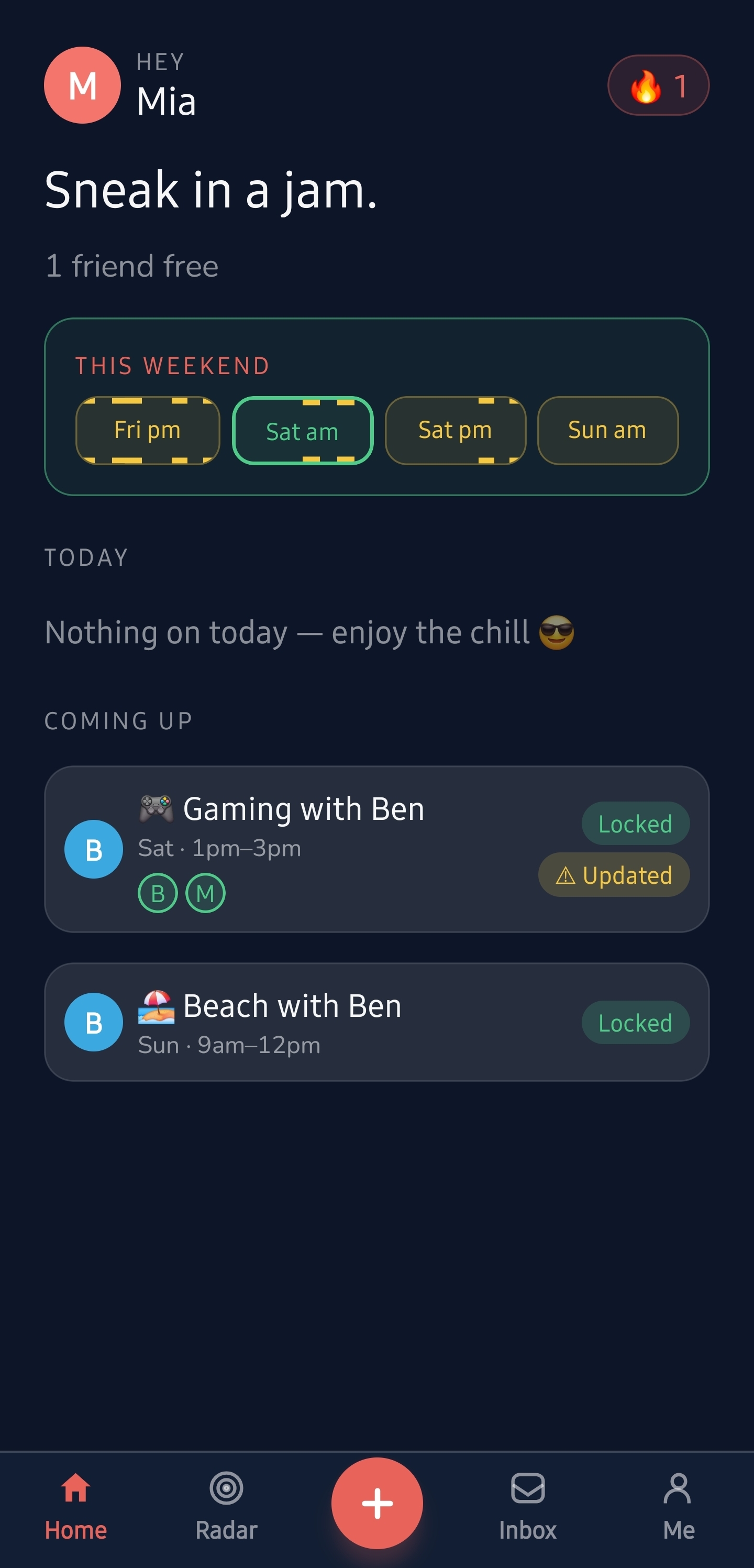
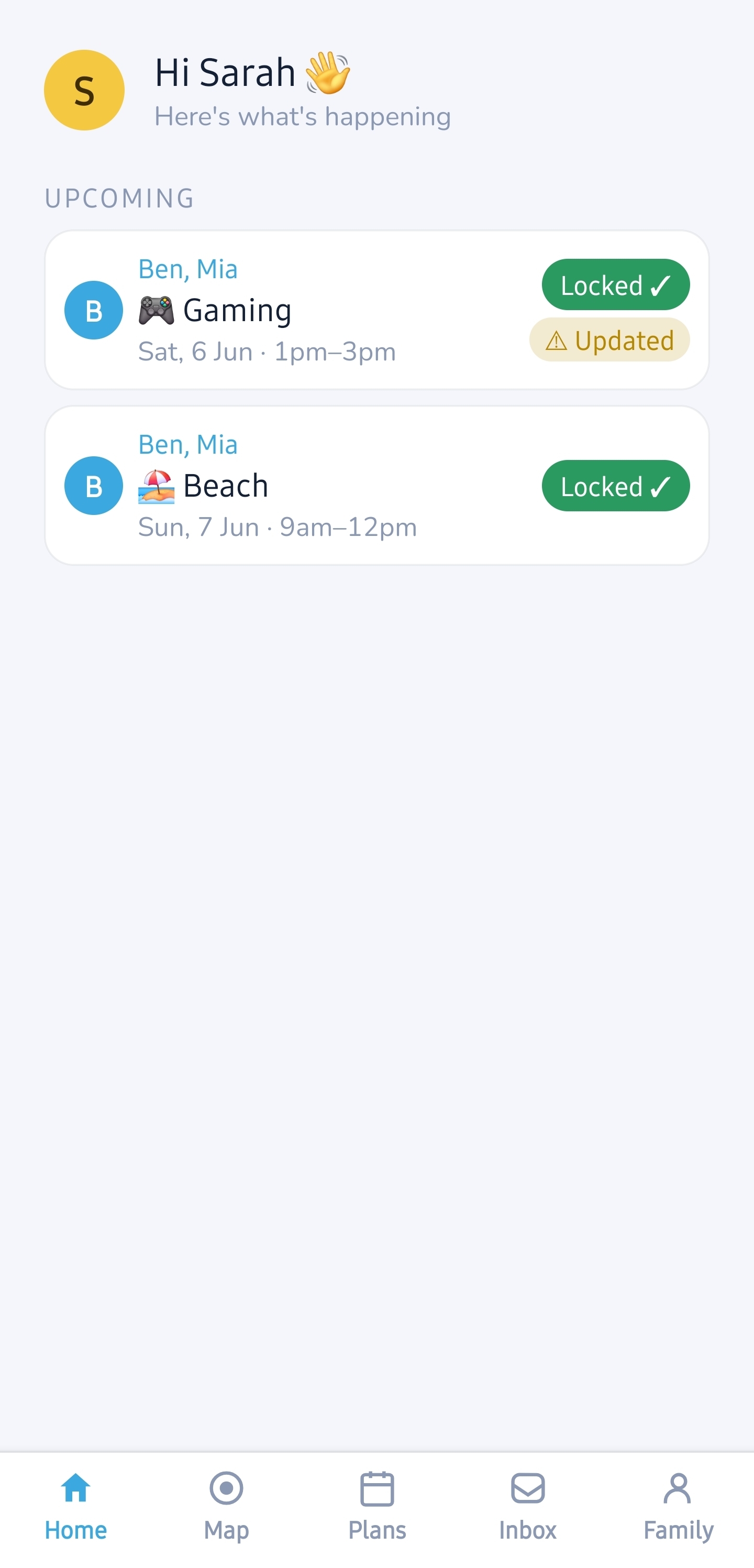
This is the same weekend from both sides: Gaming on Saturday, Beach on Sunday. The kid lives in the dark; the parent lives in the light. Grab the handle and slide between them.
KID
PARENT
left is the kid’s app · right is the parent’s app · one shared plan
One loop. Both sides win.
Watch a single plan travel the whole way, kid to parent and back. Every screen here is the real app. Tap any phone to open it full-size.
Pick your side
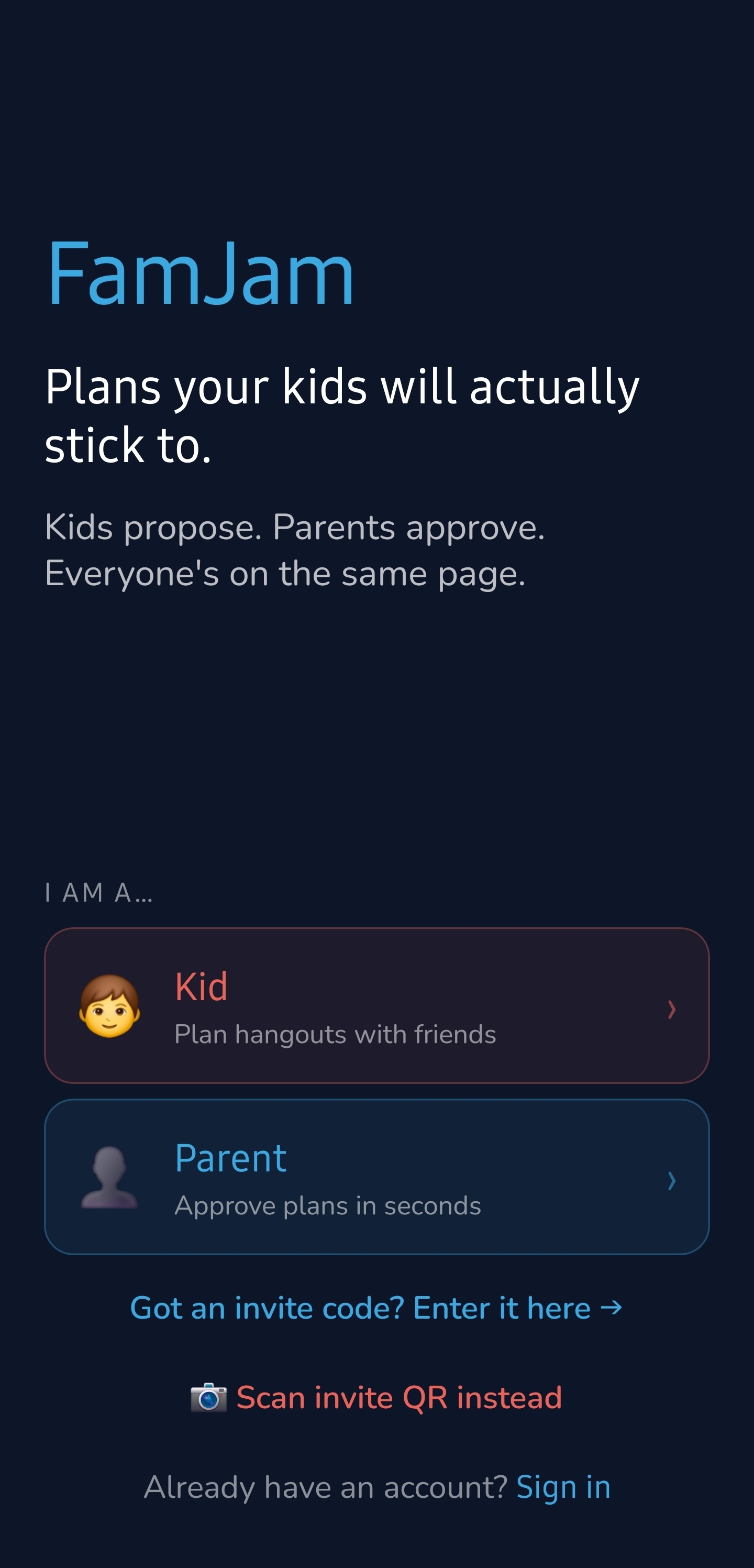
Open FamJam and choose a lane: Kid or Parent. Two experiences, one shared family.
The invisible rails
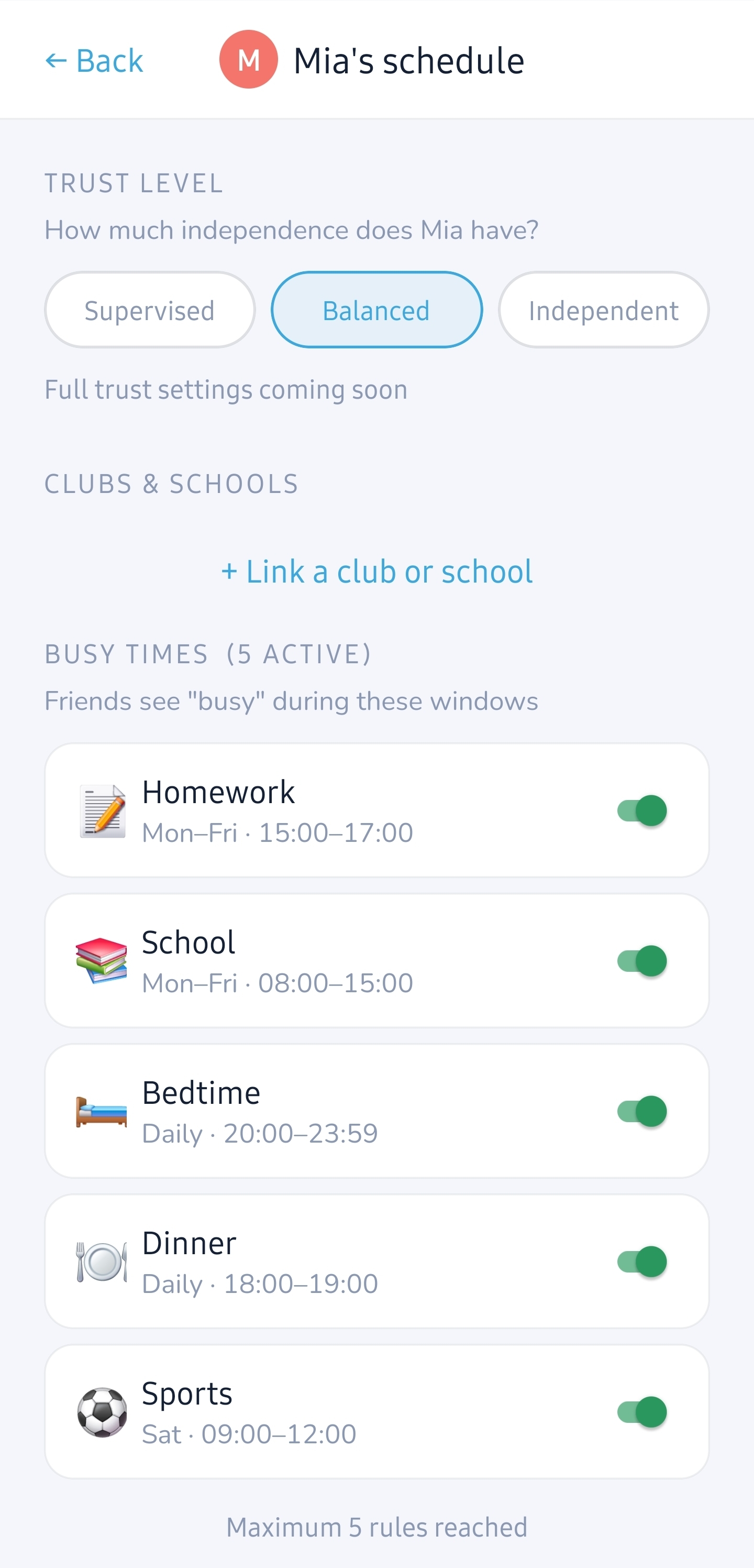
A parent sets the busy windows (school, homework, dinner, bedtime), who approves plans, and what a kid hears on a no. Set them once and forget them. No app, no nagging.
“Sneak in a jam”
The kid opens to who’s free this weekend and what’s coming up. One tap starts something new, no scrolling a group chat forever.
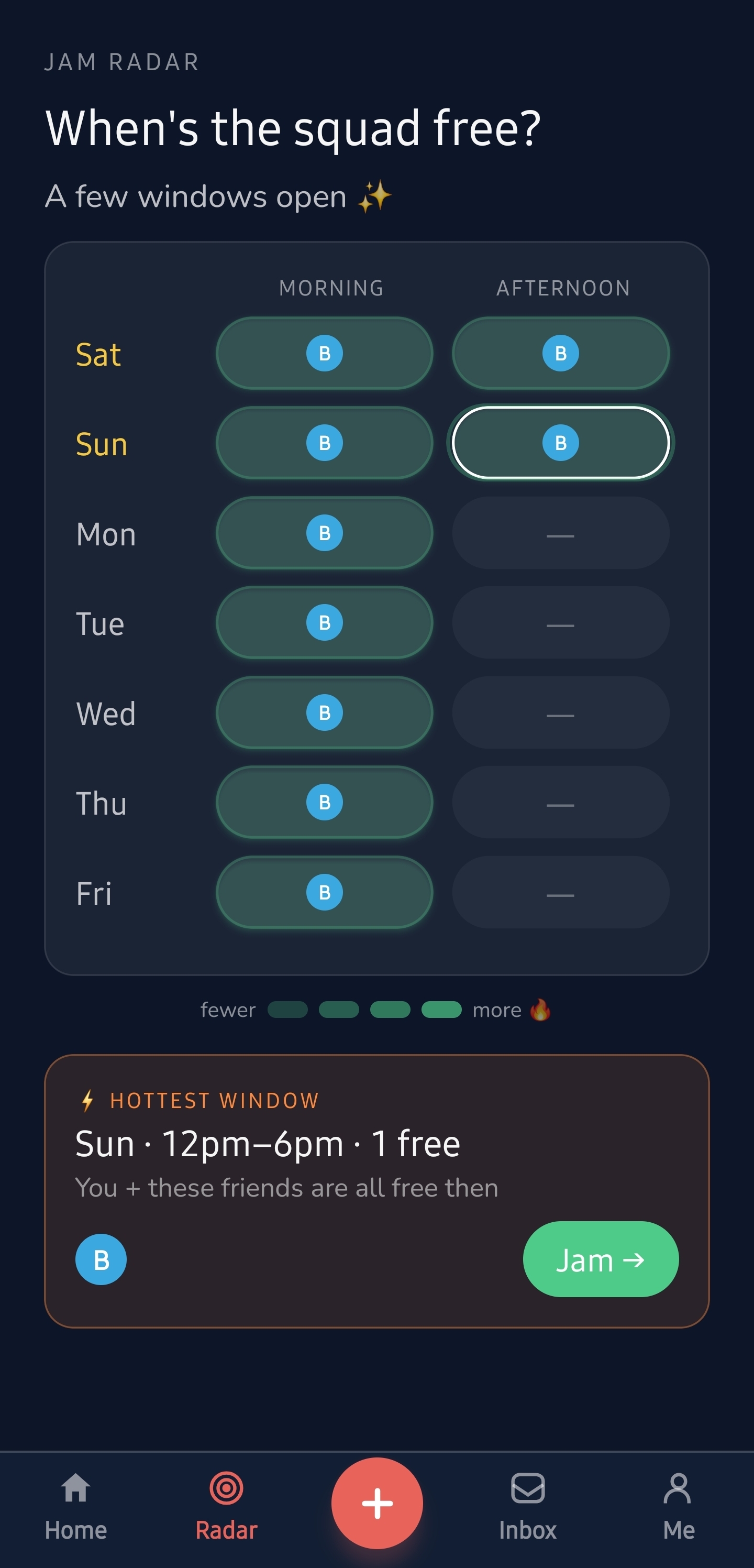
Radar finds the window
FamJam hunts for the longest stretch where you and the most friends are all genuinely free, surfaces the hottest window, and one tap turns it into a plan with friends already invited.
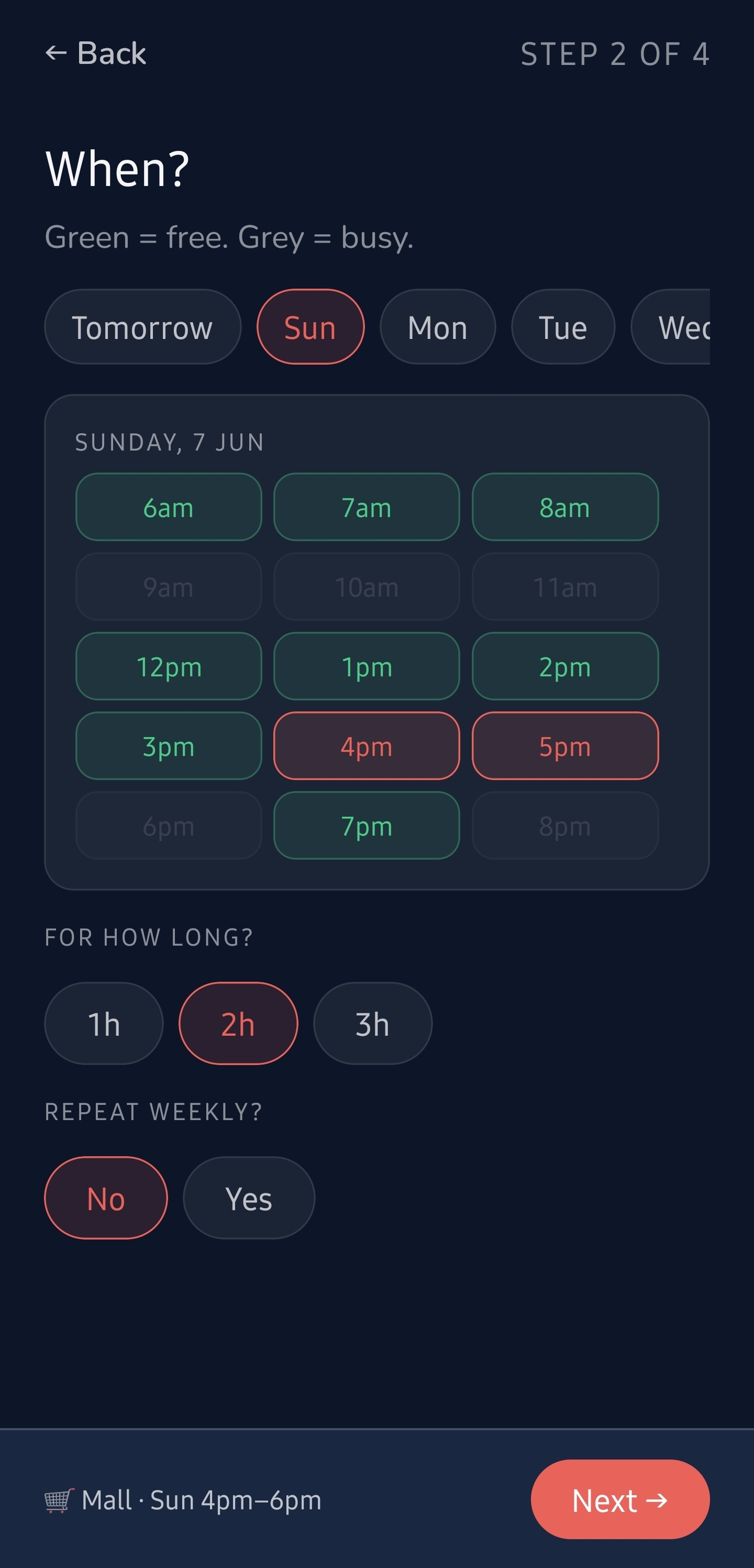
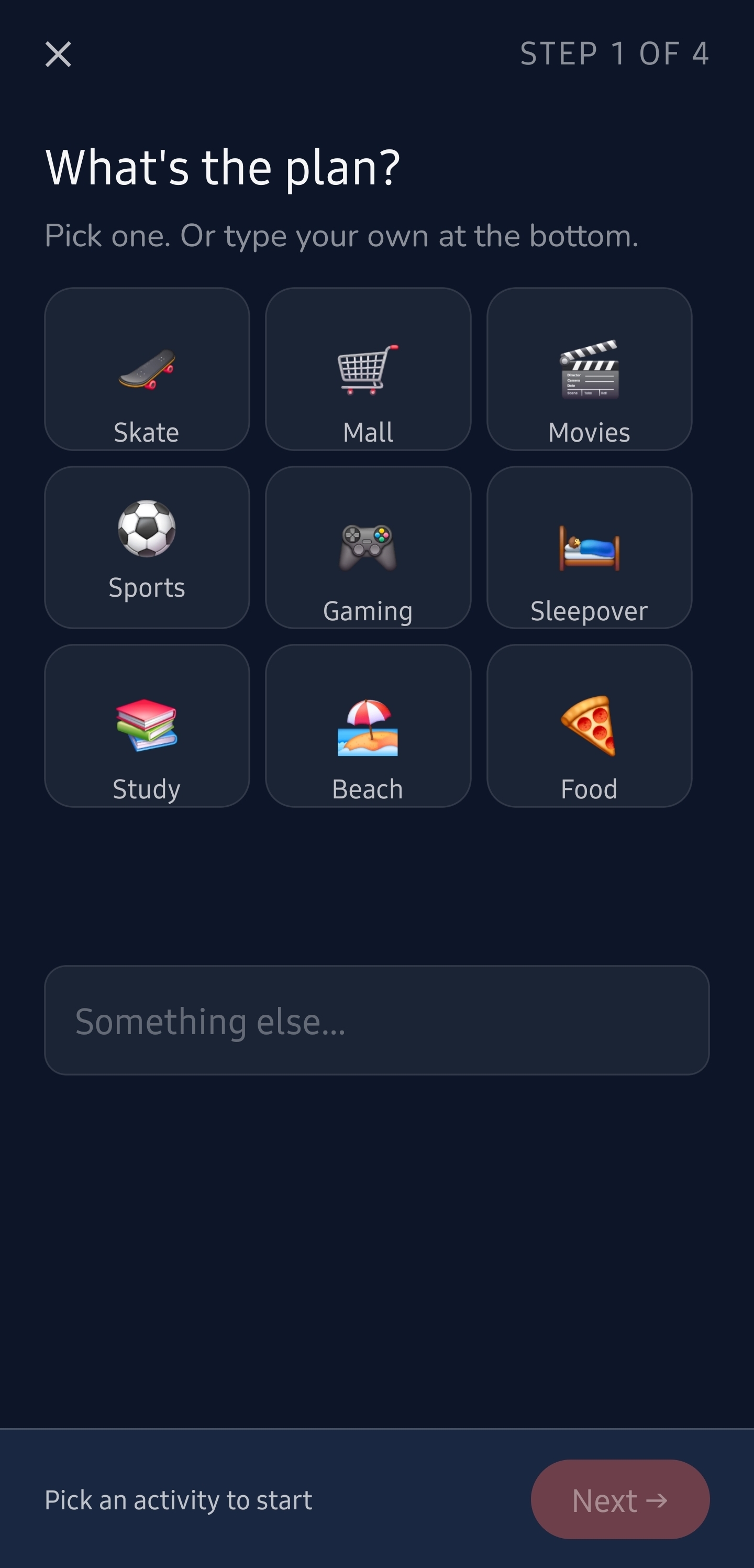
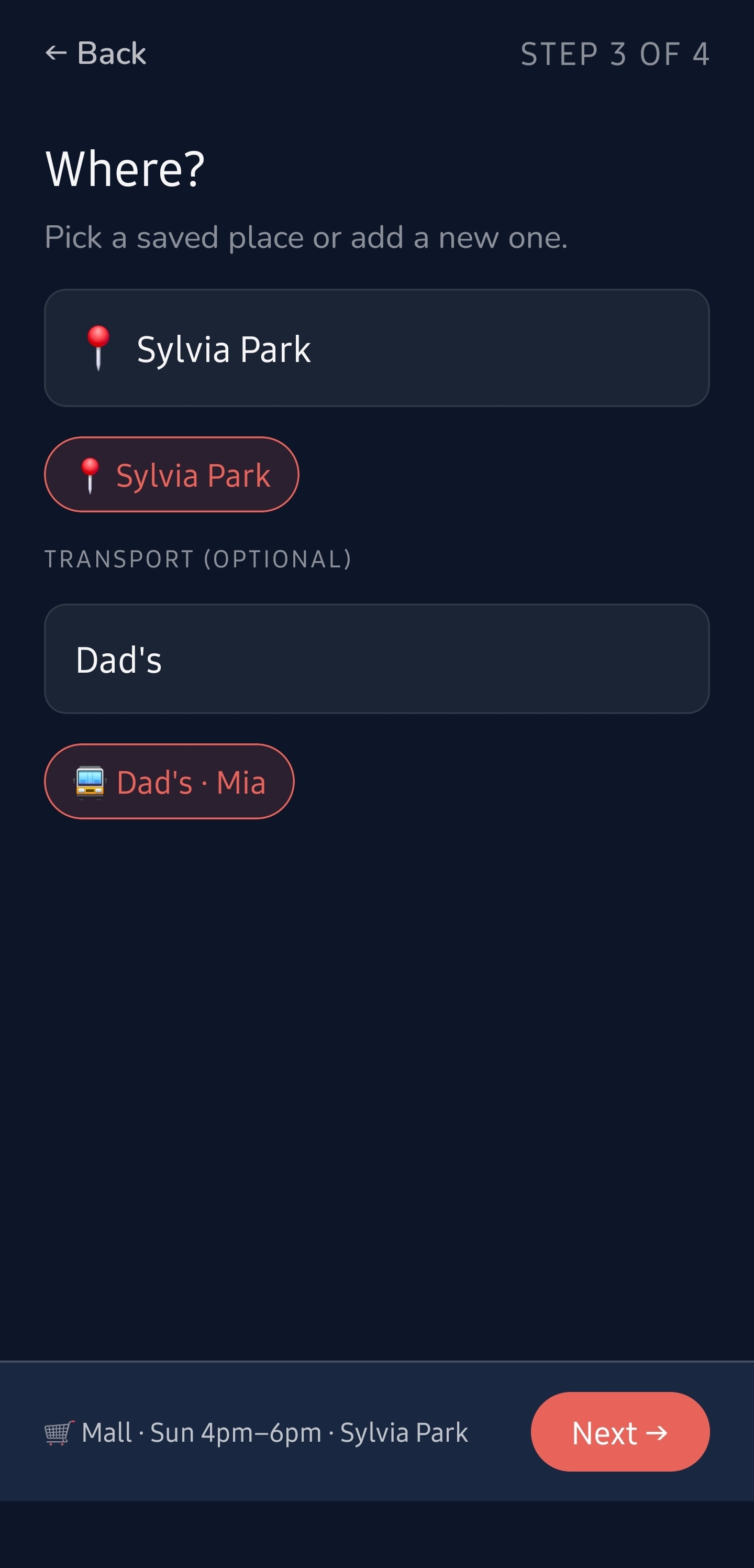
Four taps, plan built
Activity, when, where, who. The “when” grid greys out your busy windows (those parent rails), so you only ever pick times you can actually go.
→ scroll the strip below
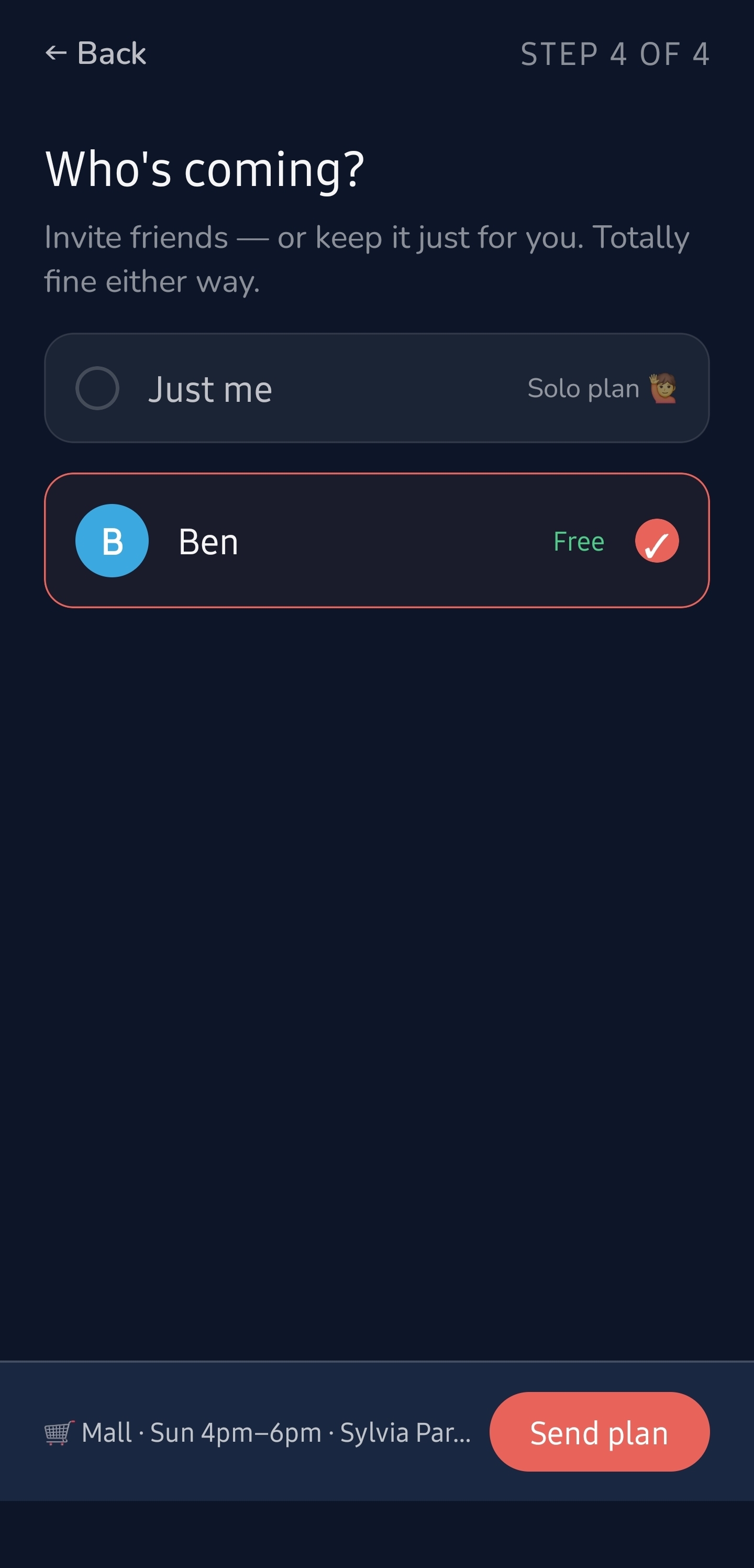
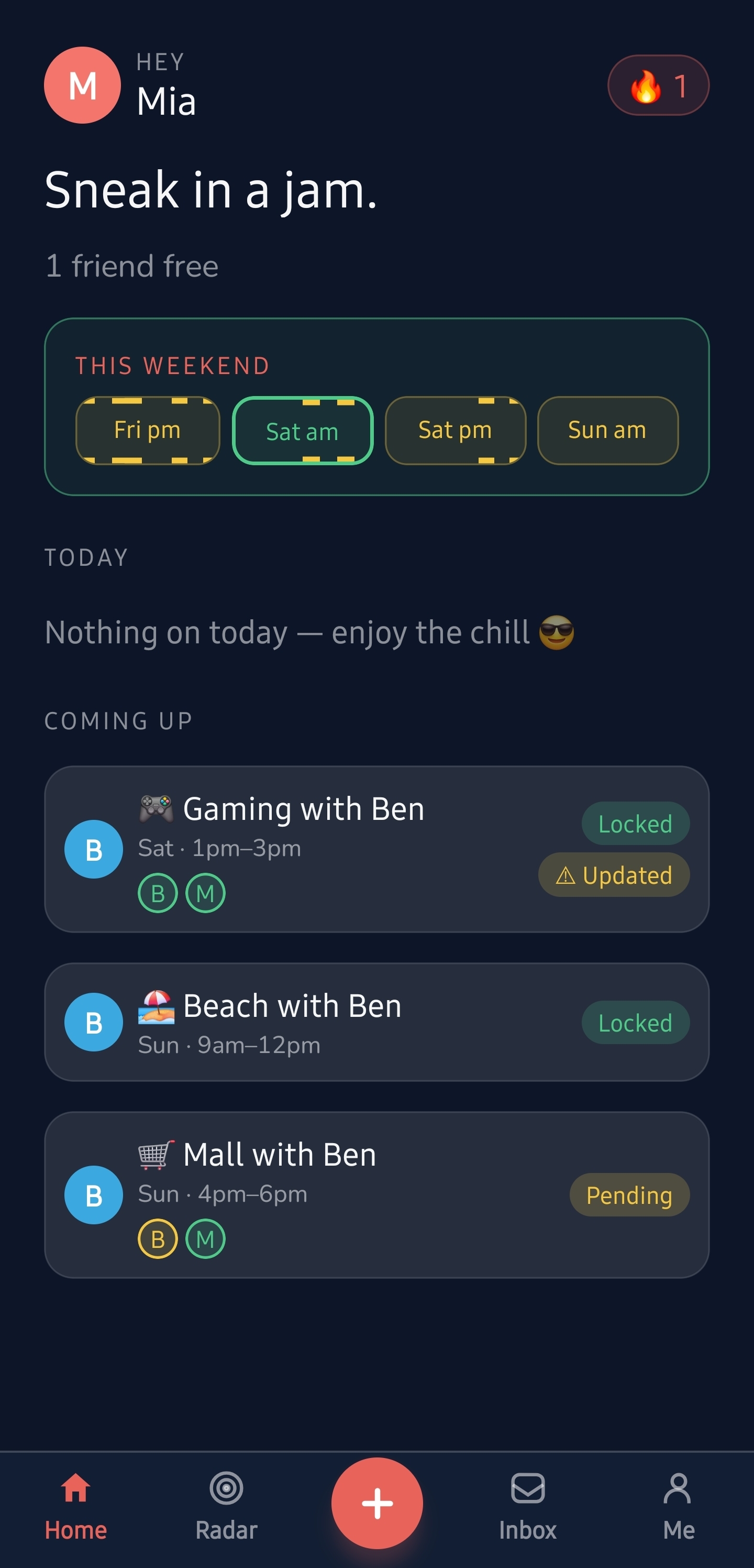
Off it goes, pending
The plan posts and waits for a yes. No begging, no “we’ll talk later.” The ask is clear and it’s already moving.
Approve in seconds
The parent sees the whole picture (what, when, where, the ride, and who else is going) and says yes — or no — in one tap. No 3pm ambush.
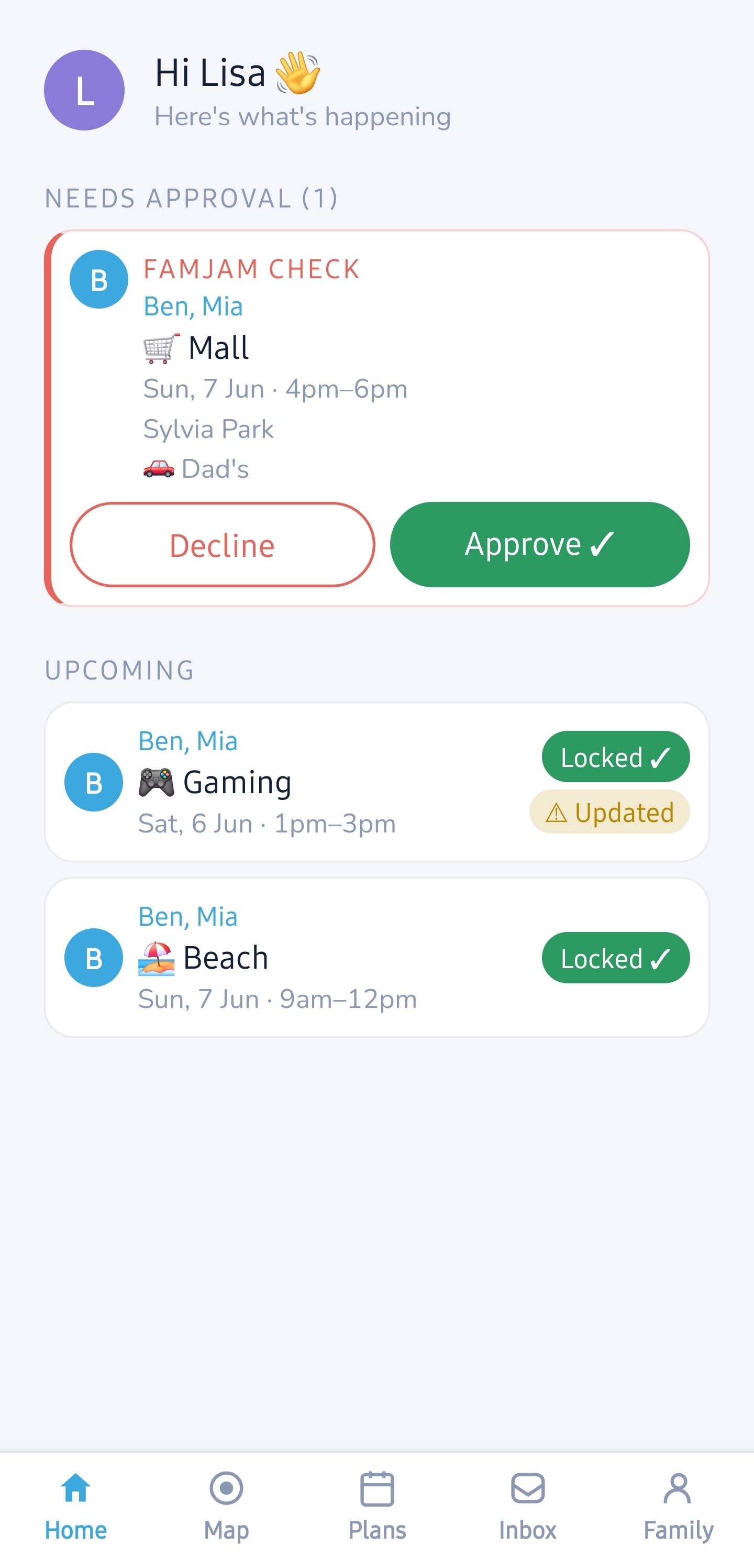
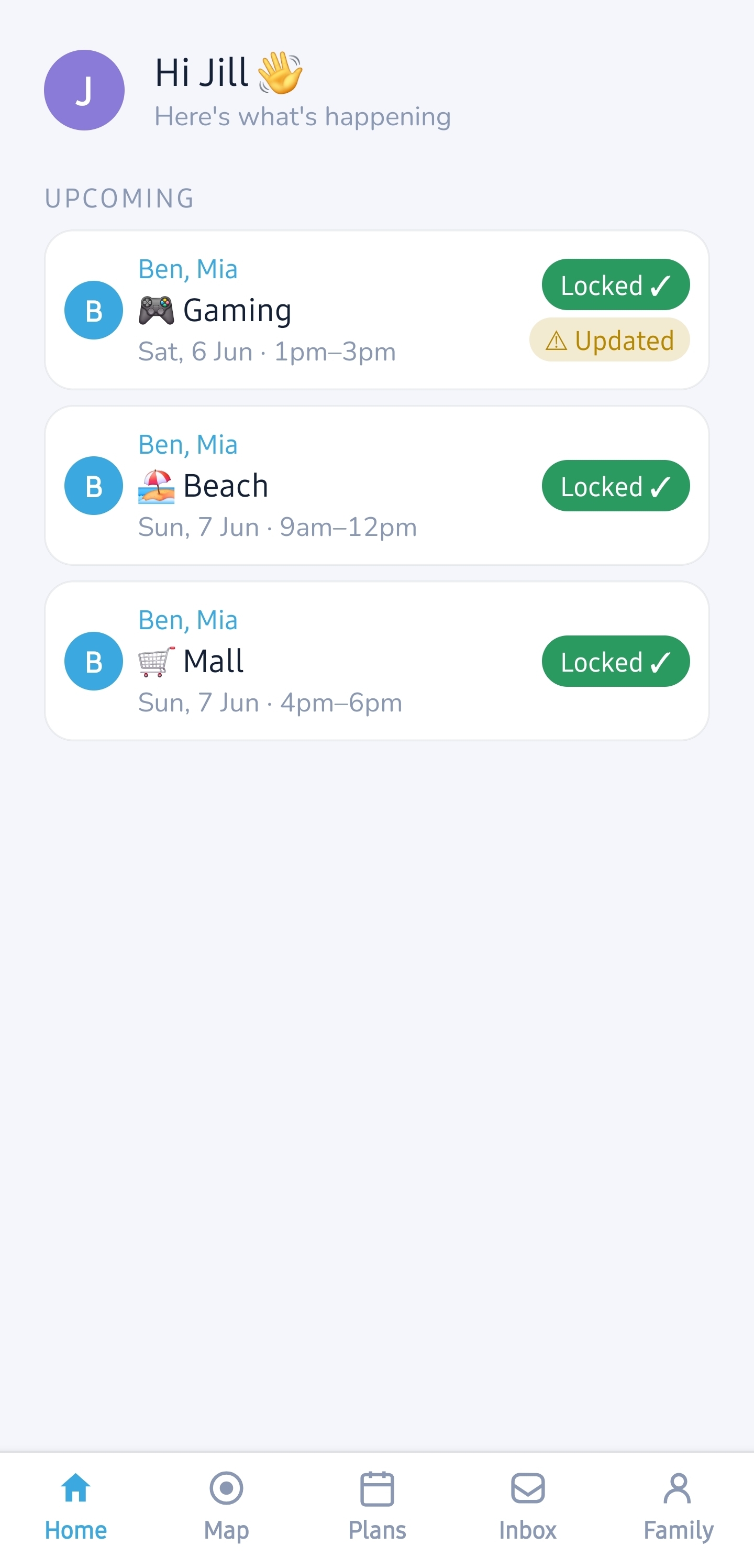
Locked in for everyone
Approved, and it locks for the whole plan at once. No crossed wires, no “I thought you said no.”
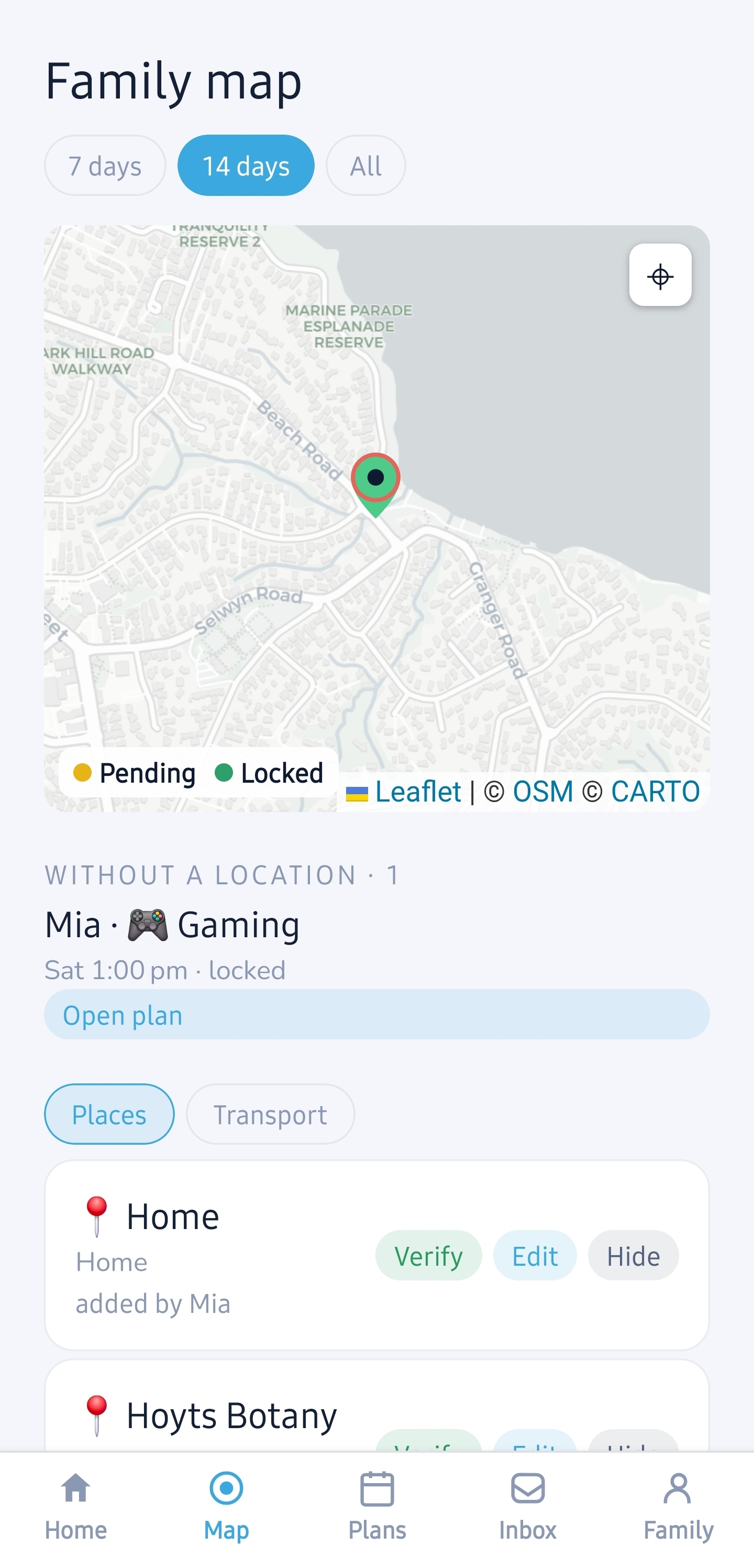
Plans on a map
Where things are happening (pending vs locked), alongside the places and rides your family trusts, each one verify-able. Visibility, not surveillance.
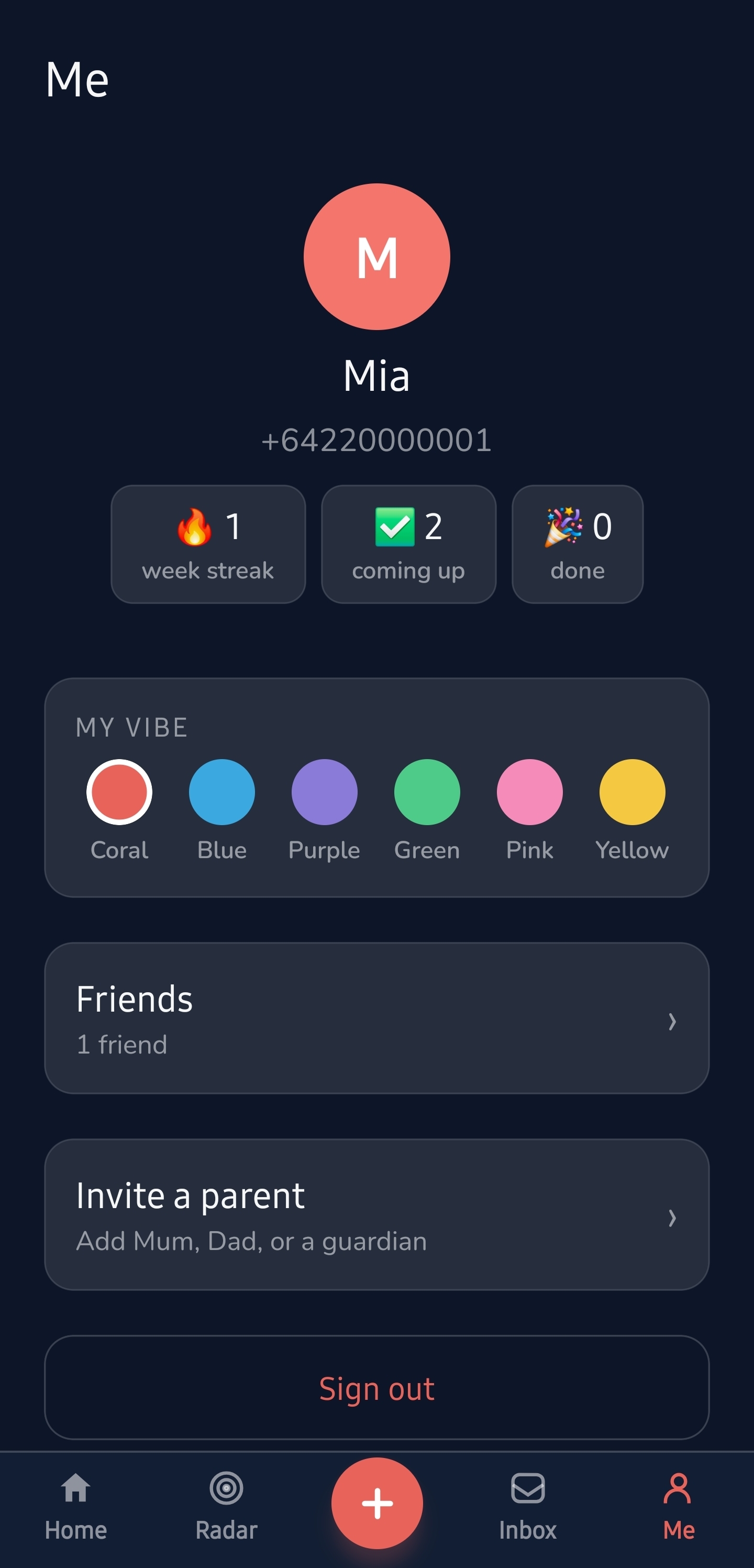
Their world, their vibe
Streaks, a colour that’s theirs, their crew, and a one-tap invite for a parent. Plans kids stick to, because they built them.
Jam Radar finds the moment.
Coordinating a group is the hard part. Radar does the math so kids don’t have to.
- The longest joint free block. It scans for a 2-hour-plus window where you and the most friends are all free the whole time.
- Honest, not hopeful. A friend only counts for the hours they’re really free, and “unknown” never gets read as a yes.
- One tap to jam. The hottest window glows. Tap it and you’re in the planner, friends already invited.
Every screen, both worlds.
All 29 beta screens, live in the marquee. Hover to pause, tap any one to open it full-size and swipe through the lot.
🙋 15 kid screens · 👨👩👧 12 parent screens · tap to explore
Want the real thing?
FamJam drops in New Zealand first. Grab early access and we’ll message you the second it’s live.
or just email founder@stcloud.co